In industrial display applications, one crucial but often overlooked specification is viewing angle. It directly impacts who can see the content, how well they see it, and whether your information stays secure.
If you’ve ever wondered: “Should I choose a wide-view or narrow-view LCD TFT displays? What’s the core difference? Which one fits my project best?” — this blog will walk you through the key differences and help you make a confident decision.
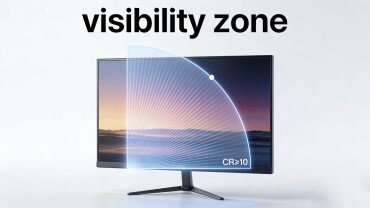
Think of viewing angle as the "visibility zone" of your LCD TFT panel. It's the area in front of the display where the image remains clear and colors stay true (The industry standard typically defines the range as the angle where contrast ratio CR≥10). The core difference lies in the breadth of the “visible range."
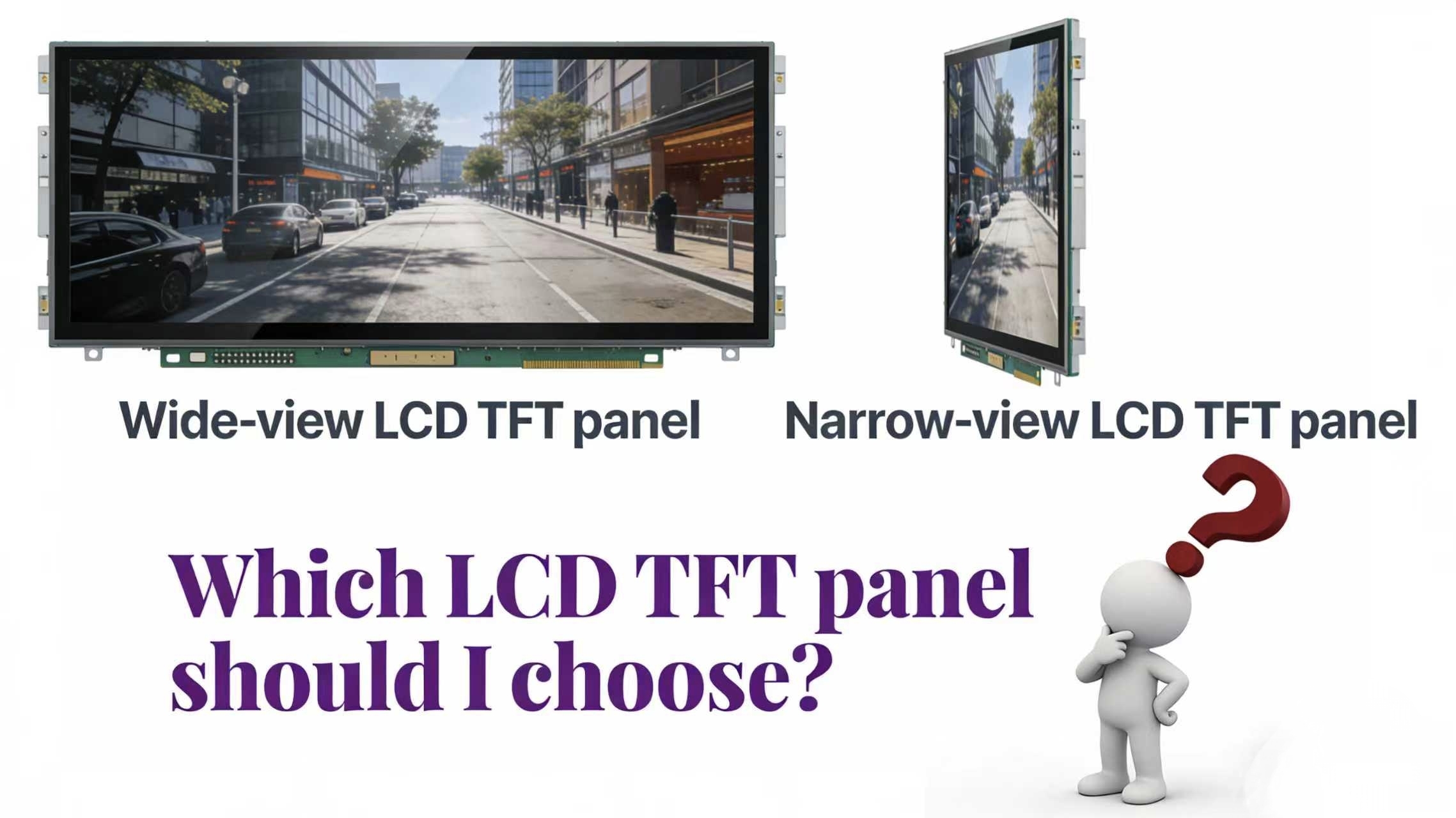
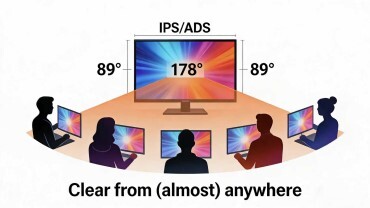
1.Wide-View LCD TFT Displays (e.g., IPS/ADS Technology)
| Aspect | Description |
| Principle | Clear from (almost) anywhere. |
| Viewing Angle | Typically 178° (89° on each side). The image remains consistent in color, brightness, and contrast across an extremely wide field of view. |
| Best For | Situations where multiple viewers or variable viewing positions are involved. |
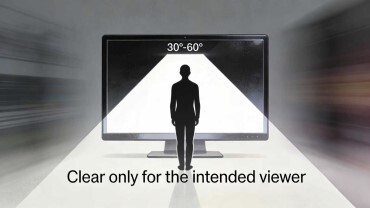
2. Narrow-View LCD TFT Displays (e.g. TN Panels)
| Aspect | Description |
| Principle | Clear only for the intended viewer. |
| Viewing Angle | Typically restricted to 30° to 60°. Outside this narrow cone, the image quickly degrades, becoming too dim or blurry to read. |
| Best For | Situations demanding visual privacy or focused information delivery to a single user. |
| Aspect | Wide-View Displays | Narrow-View Displays |
| Viewing Experience | Excellent for collaboration. No dead zones. Perfect for multi-operator stations. | Poor for collaboration. Severe color shift and dimming outside the narrow cone. |
| Visual Consistency | Superb. Color and contrast remain stable from almost any angle. | Directional only. Optimal quality is reserved for the central viewpoint only. |
| Information Privacy | Low. Content is visible from the sides, requiring privacy filters for sensitive data. | Inherently high. Physically prevents visual snooping from bystanders. |
| Installation Flexibility | High. Less sensitive to mounting angle or viewer position. | Demanding. Requires precise alignment with the user's fixed line of sight. |
| Relative Cost | Typically higher due to more complex panel manufacturing. | Often more cost-effective for comparable basic specs. |
| Best Suited For | Shared spaces, control rooms, public terminals. | Secure transactions, private data, single-user fixed devices. |
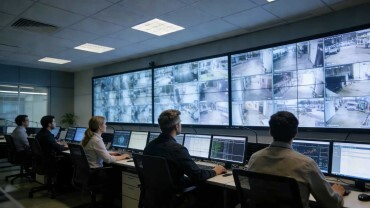
a. Industrial Control Hubs: Production line dashboards, SCADA monitoring walls. Enables teams to monitor real-time data from different positions.
b. Public & Service Terminals: Hospital kiosks, airport check-in screens. Ensures clear guidance for users approaching from any direction.
c. Collaborative & Vehicular Devices: Conference room displays, in-cabin industrial monitors. Allows both driver and passenger to view information simultaneously.
d. Critical Visual Inspection: Medical diagnostic displays, precision measurement equipment. Guarantees color and detail accuracy regardless of viewing angle, preventing diagnostic errors.

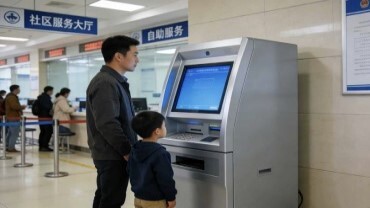
The go-to solution when information must be restricted to a single authorized user.
a. Financial & Payment Systems: ATM PIN pads, self-checkout payment zones. Physically shields PINs and transaction amounts from shoulder surfers.
b. Confidential Data Access: Patient health record stations, secure parameter setting panels. Ensures sensitive data is only visible to the authorized operator directly in front.
c. Dedicated Single-User Tools: Maintenance handhelds, warehouse picking terminals. Designed for one user at a time, eliminating cost on unnecessary viewing width.
d. Fixed-Point Interaction: Access control reader displays, vending machine confirmation screens. The user interacts head-on for a brief moment, making wide viewing angles redundant.



Step 1: Count the Viewers
⋅ Two or more people simultaneously or from different spots? ⇒ The answer is clear: Wide-View LCD TFT Displays
⋅ Only one primary user in a fixed position? Proceed to Step 2.
Step 2: Classify the Content
⋅ Displaying passwords, transaction values, confidential parameters, or personal data? ⇒ A narrow-View LCD TFT display panel is your security guard.
⋅ Displaying public information, operational guidelines, or shared real-time data? ⇒ Wide-View LCD TFT display panels ensure effortless communication.
Step 3: Analyze the Environment
⋅ Is the device fixed in place with the user's viewing position locked and predictable (e.g., integrated into a console)? ⇒ Narrow-view LCD TFT display panels can work perfectly.
⋅ Will the device be moved around, or could users approach it from unpredictable angles (e.g., a portable tool, an open kiosk)? ⇒ A wide-view LCD TFT display is the safe, flexible choice.
Step 4: Balance Needs & Budget
⋅ On a tight budget? If Steps 1-3 point to a toss-up (e.g., single user, non-sensitive data, fixed position), leaning towards Narrow-view LCD TFT display panels can offer significant savings.
♦ If your priority is Shared Visibility & Consistent Experience, your path leads to Wide-View LCD TFT Display panels.
♦ If your priority is Directed Privacy & Precision Delivery, your path leads to Narrow-View LCD TFT Display panels.
Still Hesitating Between Two Paths?
Let our team provide a tailored recommendation. Simply share your project's specific parameters(Click on the contact box on the right.)—use case, viewer count, content type, and environmental conditions—for a free LCD TFT display analysis.
Please enter your information and provide your contact information, we will contact you as soon as possible.
Please enter your name and email address to start the download.